“Start Together” — Try the Newest Feature Now!

Kris Langham Announces our Biggest App Upgrade in Years
Hey friends. Kris here with a big announcement! Through the Word 4.0 is here. It’s our biggest upgrade in years and the big new feature is Through the Word Together.
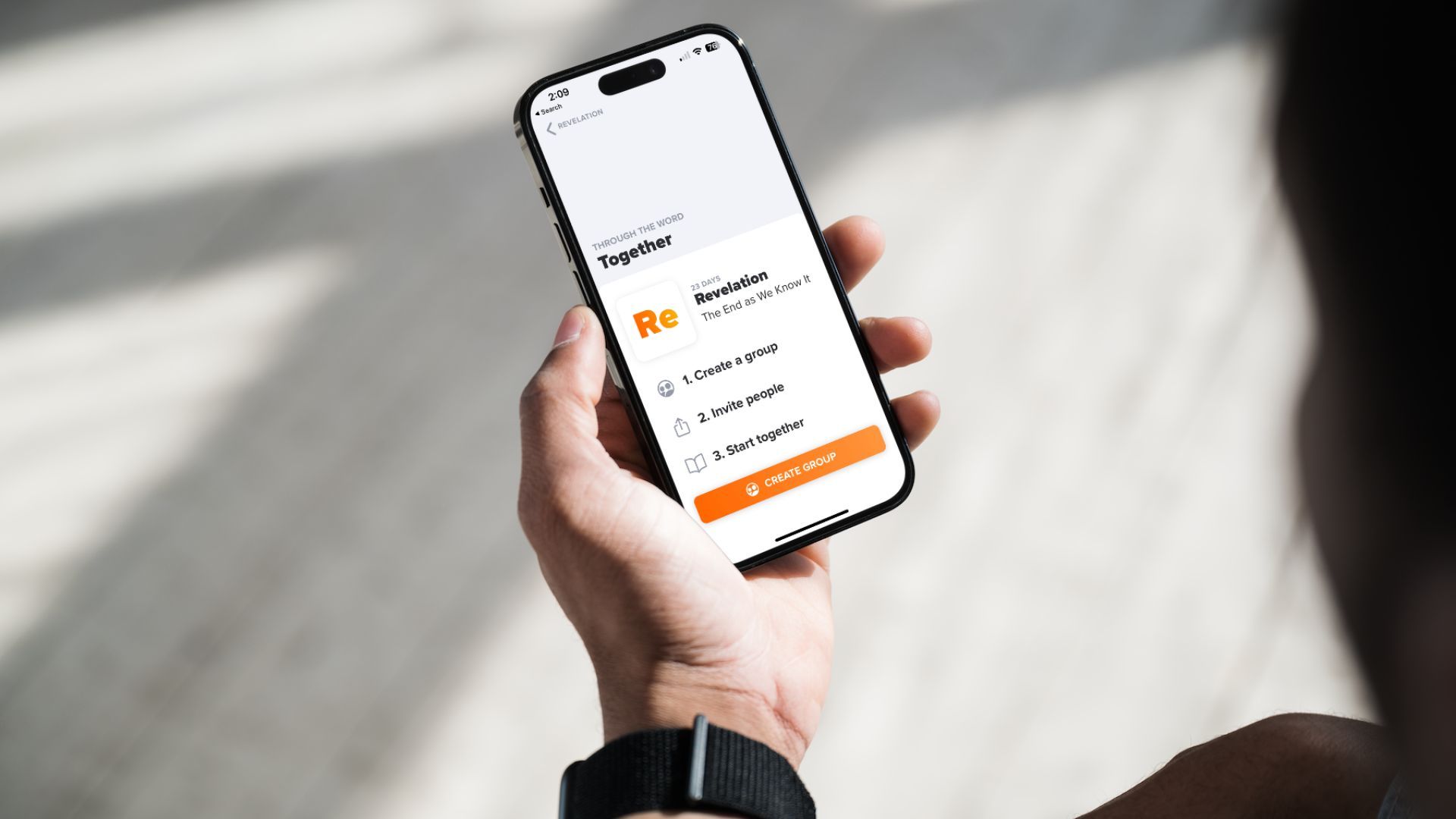
I am so excited for this. Check it out right there on the app. Open up any plan and look for the big bright orange “Start Together” button. That’s it! The app will guide you from there.
You guys have been asking for this — and we have been dreaming about this — for years.
With Through the Word Together you can invite your friends to start any plan with you. Or your family, buddy, kid, cousin. Your whole small group. Or get all your church small groups on it! You can have different groups on different plans, or go solo on one plan and together on another.
Pick any plan, tap “Start Together,” and share the link with anyone. If they’re on TTW, just share the link. If they’re not on TTW, just share the same link. When they accept, you’ll follow that same plan — same audio guides, but now you can share audio messages with your questions and insights — on each and every chapter. So cool!
Now if you’re not ready for a group yet, just take it for a test drive to see how it works. See below for answers to commonly asked questions. And submit your questions and feedback in the comments section. We’re here to help. Have fun!
Next big announcement coming soon. And that one comes with swag!
FAQs for TTW Together
1. What is Through the Word Together?
Through the Word Together is a feature that allows you to follow a TTW plan with friends or a group. It’s a great way to share a Bible habit and stay consistent with your Bible journey.
2. How can I start a Together plan?
You’ll find a big, bright “Start Together” button on every plan except the “Intro” plan. Simply tap the button to get a link that you can share with your friends, whether they already have the app or not.
3. What happens after I invite friends to a Together plan?
Once you invite friends, you and your group members can record audio messages and share them after each chapter. You can share verses that spoke to you, questions, or insights. Keep the messages short to maintain the daily habit.
4. Can I invite people to an existing plan?
No, you cannot invite people to an existing plan. You need to start a new one and click the “Start Together” button. You can have both an individual plan and a group plan at the same time.
5. Where do I listen or record?
The playlist for each audio guide is located beneath the Bible text. To access it, simply swipe up on the player section at the bottom of the screen to reveal the playlist. From there, you’ll see options to listen to audio messages or record a new one. Audio messages are limited to 3-minutes each. You may record multiple messages per chapter. Back and forth conversation is encouraged!
6. How will I know when someone records an audio message?
For immediate alerts, ensure your phone’s notification settings for the app are turned on. This way, you won’t miss out on any shared insights or reflections. When you’re in the app, you’ll see a notification alerting you to a new message.
7. What guidelines should I follow for my Together group?
We recommend three basic rules for your group: Speak with grace, listen with humility, and no shaming. Reiterate these rules daily to create a positive and supportive environment.
8. How many people can be in a Together group?
Groups are limited to 12 people. Anyone in the group can invite more members until it’s full. Members can can exit the group at any time. The person who initiates the group has control over locking the group or removing members as needed.
9. Can I choose the reading schedule for my Together group?
Yes, you can choose your own schedule. Decide whether you want to read one chapter a day, just on weekdays, or follow a plan that suits your group’s needs. You’ll need to communicate the schedule to your group members, as there is no option to set a schedule within the plan. You can even do a group plan weekly or create separate groups for different plans.
10. Which plans are suitable for starting Together groups?
Journeys 1 and 2 are excellent starting points for groups, as they consist of 25 days of content, making it an ideal commitment for Together reading plans.
11. Is there a place for me to write text messages instead of audio?
No, the primary format for sharing within the Together feature is audio. Given that TTW is designed around the audio experience, we believe you’ll find this format enriching and engaging for group discussions.
Do continue to let us know your feedback and how we can make your experience even better. Dive in and enjoy the journey with Through the Word Together!

